Free Shipping Over$200

- Products
- Marking
- Alternative

Building a Clean Audio Front End for Voice AI
A voice model hears only the audio its front end hands it, and whatever that front end loses or adds is something the model has to work around. The front end turns sound in the room into clean data at the format the model expects, and turns the model's reply back into sound. What it captures sets the ceiling on what the model can understand, since nothing downstream restores a word the microphone never picked up.
The path has a few stages. A microphone turns sound into a signal, a codec or a converter turns that signal into data, and a clock keeps the samples flowing at a steady rate the model counts on. On the way back, an amplifier turns data into enough power to drive a speaker. Around all of it sit the harder problems of a real room: distance, noise, and the device's own speaker leaking into its own microphone.
What a voice model needs from its front end
A model trained on speech expects audio that looks like its training data. That means a known sample rate, a clean signal with the speech well above the noise, and a steady stream with no gaps where samples were dropped. A front end that delivers a different rate, a noisier signal, or a stuttering stream hands the model audio it was not trained to read, and accuracy falls without any single part failing.
So the front end is built backward from what the model consumes. The sample rate is set to what the model wants, often a modest rate for speech rather than the high rate music needs. The number of channels is set to whether the model takes one microphone or several. The signal is kept clean from the microphone onward, since a model can be retrained but cannot invent detail that the analog path threw away.
The format is a contract, not a preference. A model trained on one sample rate and one channel count takes exactly that, and a front end that hands it a different rate or an extra channel forces a conversion that either costs compute or degrades the audio. Agreeing the format once, against the model, saves a running cost on every sample for the life of the product.
Some of the cleanup belongs in hardware and some in the model, and the line between them is a design choice. A codec can apply gain and a basic filter before the data leaves it, which spares the model that work and keeps the signal in range, while heavier noise suppression and echo cancellation usually run in software where they can adapt. Deciding what the front end cleans and what the model handles keeps neither doing the other job badly.
Getting the microphone's signal in
Small devices lean on digital microphones, and many of them speak a format called PDM, a single dense stream of one bit samples that is cheap to route on a board. A processor that wants standard audio data cannot read PDM directly, so something has to convert that dense bit stream into the I2S format audio peripherals understand.
The ADAU7002 turns a PDM microphone into I2S, a small part that takes the microphone's one bit stream and filters it down to standard audio samples on an I2S bus. It lets a designer use cheap PDM microphones with a processor that only speaks I2S, and it handles the clocking the microphone needs to run. For a device with one or two digital microphones, it is the bridge that gets their sound into the processor in a form the rest of the chain expects.
The microphone itself sets a floor the bridge cannot lift. A microphone with a poor signal to noise rating hands over a hissy signal, and no conversion downstream cleans that hiss out of the speech. The microphone is chosen for its noise rating and its sensitivity first, and the bridge is matched to whatever format it speaks.
Where the signal travels matters before it is even converted. A PDM line is a fast digital edge, and run too far across a board it both radiates noise and picks it up, so the microphone sits close to the bridge or the processor that reads it. Distance on a microphone line is rarely free.
The codec that turns sound into data
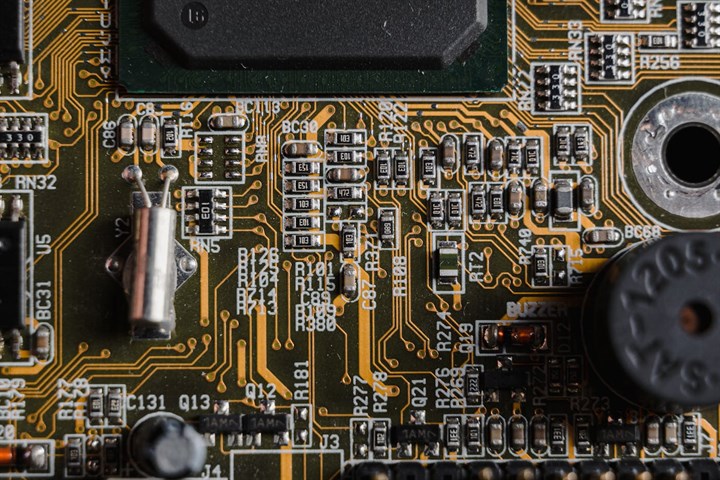
Where the microphone is analog, or where the device also has to play audio back, a codec does both directions. It carries the analog to digital converter that turns a microphone's signal into data and the digital to analog converter that turns data back into a signal for a speaker or headphone, with the gain and filtering around them.
The SGTL5000 works as a low power audio codec for a voice device, a part that captures from a microphone and plays back through a small output while drawing little current, which suits a battery device that has to listen and speak. It gives a voice front end both directions in one chip with a clean enough signal path for speech, and it keeps the power low enough to leave room in a small battery budget.
A codec also carries the small comforts that keep a design simple, a microphone bias supply, programmable gain so the input level can be set in software, and filters that trim the band before the data leaves the chip. Reaching for a codec rather than a bare converter is often the choice that takes three or four parts off the board.
When the front end has more than one input
Some devices take in more than one source, a couple of microphones plus a line input, or several microphones that the processor combines. That needs a converter with more than one input channel and the routing to mix or select among them.
The TLV320AIC3204 captures multiple inputs on a voice front end, a codec with several input channels, programmable routing, and on chip processing that can filter and mix before the data reaches the processor. It fits a device that gathers sound from more than one microphone or has to switch between sources, and its built in processing offloads some of the cleanup from the main processor.
More inputs also means more to keep in step. The channels share the converter clock so their samples line up, and a device that mixes them, or that runs an array off them, depends on that alignment holding. A multi input codec that clocks all its channels together does quiet work that a handful of separate converters would make hard.
Giving the device a voice back
A voice device usually has to answer, which means turning audio data into enough power to move a speaker. A small line level output cannot drive a speaker on its own, so an amplifier sits between the data and the cone.
The MAX98357A drives a small speaker straight from I2S, a class D amplifier that takes I2S audio data directly and drives a speaker without a separate converter in front of it. It turns the digital audio stream into speaker power efficiently, which keeps the heat and the battery drain down, and it removes a part from the board by reading I2S on its own. For a device that just has to speak prompts and replies, it is a direct path from data to sound.
The amplifier brings its own noise back toward the front end, since a class D output chops its supply at high frequency to stay efficient. Its output filtering and its layout keep that switching out of the microphone path, which matters doubly on a device that listens while it speaks.
Hearing across the room
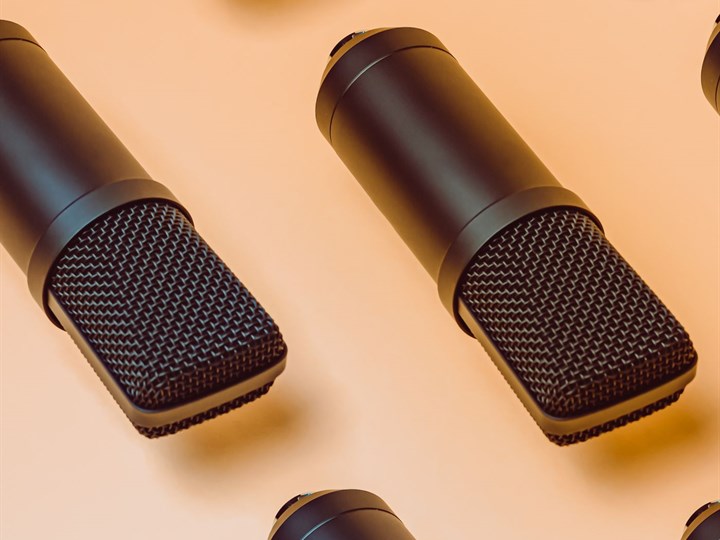
A voice model that has to work from across a room faces a harder problem than one with a microphone held close. The speech arrives quieter, mixed with room noise and with echoes off the walls, and a single microphone cannot tell the talker apart from the rest. An array of microphones can.
How that array is built is the matter of laying out a microphone array for far field voice. Several microphones spaced a known distance apart let the processor compare when a sound reaches each one and steer its listening toward the talker while turning down the rest of the room, which is beamforming. The spacing sets which directions and frequencies the array handles well, and it has to be designed against the size of the device and the band of speech.
The array asks more of everything behind it. Each microphone needs its own clean channel, the channels have to stay in step so the timing comparison holds, and the processing to combine them needs the compute to run in real time. A far field front end is a system, not a single part.
The array also changes what the noise floor means. Combining several microphones lifts the talker above the room by a few decibels, the same kind of gain a quieter microphone buys, so the array is one of the levers that raises the ceiling the model works under. It pays for that gain in board area, matched parts, and the steady compute to run the beamforming every moment the device listens.
The audio clock and the data that rides it
Audio is a stream of samples taken at a fixed rate, and the clock that sets that rate runs through the whole front end. If the clock drifts or stutters, samples arrive early, late, or not at all, and the model hears clicks, pitch shifts, or gaps that were never in the room. A clean clock is as much a part of clean audio as a clean microphone.
The data rides one of a few formats. I2S carries one or two channels on a few wires and suits simple devices. PDM carries the dense one bit stream a digital microphone produces. TDM carries many channels on one bus by giving each a time slot, which is how an array of microphones reaches the processor without a wire per channel. The front end is built around whichever format the parts and the processor share.
A master clock ties it together. Many codecs and bridges want a high frequency master clock that is a known multiple of the sample rate, and the sample rate clock and the bit clock are derived from it so every part counts samples the same way. When two parts run from clocks that are close but not locked together, their sample counts drift apart over minutes and the audio slips, which is why the front end runs from one clock source rather than several.
Jitter in that clock is its own quiet tax. A sample clock that wanders in time, even while its average rate is right, smears the converter timing and adds noise to the captured audio, worst on the higher part of the band. A clean, low jitter clock is part of the analog quality of the front end, not only its digital correctness.
The sample rate is chosen for the job, not for the highest number available. Speech carries its meaning in a band that a modest rate captures, and running the front end faster than that spends power and data on detail the model does not use. A rate matched to the model keeps the stream small and the power low while losing nothing the speech needed.
The format and the rate are agreed across the parts before any of them is chosen, because a microphone bridge, a codec, and a processor that disagree on format or clock do not talk at all.
Keeping the analog audio path quiet
The stretch between a microphone and the converter is analog, and analog is where a board electrical noise gets into the audio. A digital processor switching nearby, a supply that ripples, a clock trace running alongside the microphone line, each can couple a hum or a hiss into the signal before it is ever digitized, and once it is in, it is part of the audio the model hears.
Keeping it quiet is layout work. The microphone and its analog lines sit away from the noisy digital and power sections, the analog ground is kept clean and joined to the rest at one considered point, and the converter reference and supply are filtered so their noise does not ride into the samples. A digital microphone moves the converter into the microphone itself and sends digital data out, which sidesteps much of this by keeping the analog path a few millimetres long, and that is part of why small devices favour them.
Mechanical noise counts too. A microphone port couples whatever vibration the case carries, so a fan, a speaker, or a button press can reach it through the structure rather than the air, and the mount and the port are designed to keep that out as much as the electrical noise.
Power is the other half of a quiet path. The analog parts want a supply that is steady and free of the switching ripple the digital side makes, often a small dedicated regulator or a filtered branch of their own, since a converter is only as quiet as the reference and supply it measures against.
The front end sets the ceiling on what the model hears
A useful way to think about a voice front end is that it sets a ceiling the model can never rise above, because the model works on the signal it is given and cannot recover what the front end already lost. Every stage from the microphone to the data stream adds its own noise and throws away a little of the signal, and once speech has dropped into the noise floor, no amount of model cleverness pulls it back out with certainty. A microphone with a poor noise rating puts a hiss under every word. A cheap analog path between the microphone and the converter adds its own noise and picks up interference from the rest of the board. A converter run at too few bits or with a noisy reference quantizes the quiet parts of speech into mush. Each of these is a loss that happens before the model sees a single sample, and the model inherits the sum of them as the floor it has to hear above. This is why a voice product that struggles in noise is often not fixed by a better model at all, but by a quieter analog path, a better microphone, or an array that raises the speech above the room. The front end and the model are one system, and the cheapest gain in accuracy is frequently the one made in hardware before the audio is ever digitized, because a clean signal asks less of the model than a dirty one ever will. A team that spends all its effort on the model and none on the front end builds a system that hits a wall the model cannot climb, and the wall was set in the analog path nobody tuned.
The move that follows is to spend the noise budget where it pays off best. A quieter microphone and a cleaner path in front of the converter raise the whole floor the model works above, and they help every word, where a model tweak helps only the cases it was tuned for. A team that measures the signal to noise of its captured audio, and not only the accuracy of its model, finds the cheap wins the accuracy number alone hides.
Clean in, clean out. Dirty in stays dirty.
When the speaker leaks into the microphone
A device that listens and speaks at the same time has a problem built into its own body. The sound from its speaker reaches its own microphone, loud and close, and that echo sits on top of whatever the talker is saying. A model trying to hear a command while the device is speaking hears mostly itself.
The fix is acoustic echo cancellation, and it leans on a fact the device knows: it has the exact audio it is playing. With that reference, the processor can model how the speaker's sound reaches the microphone and subtract an estimate of it from what the microphone picks up, leaving the talker's voice closer to clean. The estimate is never perfect, since the room changes how the sound travels, so the canceller adapts as it runs.
The front end has to support this. The playback signal and the microphone capture have to share a clock and a known timing so the canceller can line them up, and a front end where the two run independently makes the cancellation far harder. Designing for echo cancellation from the start, with a shared clock and a clean reference, is what lets a device take a command while it talks.
Listening all the time on a power budget
A voice device often has to listen all the time, waiting for a wake word, and a battery device cannot run its full audio chain and its model at full power while it waits. The answer is to listen in stages, with a small always on stage watching for a sound that warrants waking the rest.
That stage is deliberately cheap. A low power path keeps one microphone and a small detector running, listening only for the wake word or for any speech at all, while the codec, the array, and the model stay asleep. When the small stage hears something, it wakes the rest of the chain to capture and understand the command in full. The device spends nearly all of its life in the cheap stage and the costly stage runs only in the seconds it is needed.
This shapes the parts. The always on path wants a microphone and a converter that run on little current, and the wake stage wants to be small enough to run on a low power core rather than the main processor. The front end is laid out so the always on island can stay awake while everything around it sleeps, which is a power design as much as an audio one.
The two stages see the audio differently. The always on stage needs only enough quality to judge that a sound might be speech, so it can run a single microphone at a low rate, while the full stage that runs after the wake needs the clean, full rate, multi channel capture the model was trained on. Building the cheap stage to be cheap and the full stage to be clean keeps both the battery and the accuracy where they have to be.
The wake stage also decides how the device feels. Too eager and it wakes at every clatter and drains the battery, too cautious and it misses the user. The threshold the small stage uses is tuned against the room the device lives in, which is why a device meant for a quiet office and one meant for a workshop are set differently.
The latency a conversation can tolerate
A spoken exchange has a rhythm, and a device that takes too long to answer feels broken even when the answer is right. The delay the user feels is the sum of the whole path, capturing the audio, buffering it, running the model, and playing the reply. The front end owns the first and last of those, and the buffers added to smooth the stream are delay the conversation pays for.
So the buffering is sized to hold the stream steady and no larger, since every extra block of samples held back is time added before the model sees the words and time added before the user hears the answer. A front end built for a back and forth conversation keeps its buffers tight, where one built only to record can afford to buffer deep.
Latency also hides in the wake path. A device that has to wake its full chain, power up the codec, and settle its clocks before it captures the command can clip the first word while it is still waking. Keeping the always on stage capturing into a short buffer, so the first word is already saved when the full chain comes up, is what stops the device from missing the start of what it was asked.
Questions that come up building a voice front end
Why convert a PDM microphone to I2S?
Because typical processors and audio peripherals read I2S, not the dense one bit PDM stream a digital microphone produces. A bridge filters the PDM down to standard samples on I2S, which lets a design use cheap PDM microphones with a processor that only speaks I2S.
Do I need a codec, or just a microphone and an amplifier?
A codec earns its place when the device both captures and plays audio, since it carries both converters and the gain and filtering around them in one part. A capture only device can use a microphone and a converter, and a playback only path can use an amplifier that reads I2S directly.
When does a microphone array beat a single microphone?
When the talker is across the room rather than close to the device. An array lets the front end steer toward the talker and turn down room noise and echo, which a single microphone cannot do. Close talking devices rarely need one, and the array adds channels, clocking and processing.
Why does my voice model do worse in a noisy room?
Because the front end set a ceiling the model cannot rise above. Once speech drops into the noise floor, the model cannot recover it with certainty. The gain usually comes from a quieter analog path, a better microphone, or an array, more than from a larger model.
Why does the device mishear commands while it is speaking?
Its own speaker leaks into its own microphone, so the microphone hears mostly the device. Acoustic echo cancellation uses the known playback signal to subtract that echo, and it needs the playback and capture to share a clock and timing so the two can be lined up.
The hard case is double talk, when the device and the talker speak at once. A canceller tuned too aggressively then chews into the talker words, and one too gentle lets the echo through. Tuning that balance, on top of a clean reference and steady timing, is the difference between a device that can be interrupted and one that has to finish speaking before it listens.
What sample rate should the front end run at?
The rate the model expects, which for speech is usually modest rather than the high rate music uses. Running faster spends power and data on detail speech does not carry, and running at the wrong rate hands the model audio it was not trained on.
Building the front end in order
The order keeps the stages from fighting each other. Start from the model, the sample rate, the channel count, and the format it expects. Pick the microphone for its noise rating, since it sets the floor. Pick the bridge or codec that gets the microphone's signal in at that format, and the amplifier that gets the reply back out. Decide whether the room needs an array, and if it does, design the spacing, the matched channels, and the processing together. Run the whole chain from one clock. Design for echo cancellation and for an always on stage from the start, since both are hard to add later.
The thread is that the front end sets what the model can hear, so the cleanest signal the hardware can deliver is the best thing the design can give the model. Get it right and the model works in a real room. Get it wrong and the model is asked to understand audio that never carried the words in the first place.