Free Shipping Over$200

- Products
- Marking
- Alternative

Choosing the Image Sensor and Optics That Feed a Vision Model
A vision model sees only what the sensor and the lens hand it, so those two parts set the ceiling on how well it can ever work. They get chosen for the model, which reads raw pixels, and the model cares about different things than a person looking at a screen. Steady geometry, the right light on the object, and enough detail to resolve it are what move its accuracy. A pleasing color balance or a soft background, the things a camera is tuned for, do little for it.
The work splits into a handful of questions. Which sensor specs change how well the model does its job. Whether the shutter can freeze the motion in the scene. How the scene gets lit when there is no daylight. Whether the model needs depth as well as color. How far the lens bends the geometry the model learned on. And whether the pixels can even reach the accelerator fast enough to keep up. Each one is settled on the sensor and the lens, long before the model runs.
What the model needs from a sensor
A camera for people is judged by how the picture looks. A sensor for a model is judged by how much usable signal it puts on the object the model has to recognize. The two goals overlap less than they seem. A camera ISP smooths noise, sharpens edges, and shifts color to please the eye, and every one of those steps changes the pixels the model was trained to read.
So the first decision is what the model consumes. Some models take the raw sensor output. Some take a lightly processed stream. Some were trained on images from a particular camera and quietly expect that camera's character. Knowing which one is in hand decides how much of the camera pipeline to keep and how much to switch off, and that decision shapes every spec below it.
The sensor also arrives in one of two forms, and that choice rides alongside the rest. An off the shelf camera module bundles the sensor, the lens and often an ISP on a small board that plugs in, which gets a design running quickly and settles the optics. A board level sensor placed on the main PCB asks for more design effort and hands back control of the lens mount, the interface and the bill of materials. A module suits a prototype or a modest volume, and a bare sensor pays off at scale or when the optics have to be exact.
Which specs move the model's accuracy
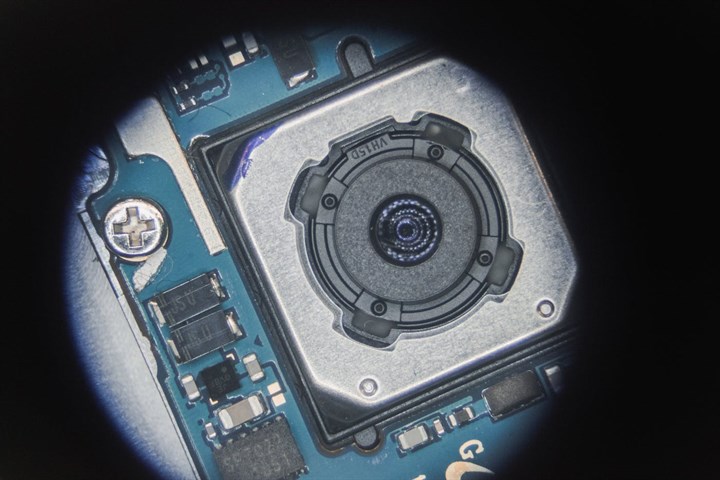
The sensor datasheet lists dozens of numbers, and a few of them decide whether the model can see the object at all. Resolution sets how many pixels land on the target at the working distance, which is what determines whether a small or distant object has enough detail to be classified. Dynamic range sets whether the sensor can hold both a bright window and a dark interior in the same frame without losing one to white or the other to black. Sensitivity and noise set how much real signal survives in low light, where a noisy frame can bury the features the model relies on.
Picking among those is the work in reading which image sensor specs matter for a vision model, and it starts from the scene rather than the spec sheet. A model counting parts on a bright conveyor needs resolution and speed and can spend little on dynamic range. A model watching a doorway from indoor shade into outdoor sun lives or dies on dynamic range. The spec that matters is the one the scene stresses, and the others can be traded down for cost, size or frame rate.
Dynamic range earns its own line, because the scenes that defeat a model are often the high contrast ones. A camera at a loading door, a vehicle leaving a tunnel, or a face against a bright window puts deep shadow and bright highlight in one frame, and a sensor short on range clips one of them to flat white or flat black and loses the object with it. Some sensors carry a high dynamic range mode that blends exposures to hold both ends, at the price of motion artifacts the model has to tolerate. The scene's contrast at its worst sets how much range the sensor has to have.
Pixel size is the quiet one. A larger pixel gathers more light and reads out cleaner, which helps in dim scenes, at the cost of a bigger sensor and a bigger lens. A smaller pixel packs more resolution into the same area and costs less, and gives it back as noise when the light drops. The choice is a balance struck against the darkest scene the model has to work in.
Frame rate and exposure time pull against each other once the scene moves. A short exposure freezes a moving object but starves the sensor of light. A long exposure gathers light and blurs the motion. The two are set together against how fast the scene moves and how much light it has, and a model that has to read fast motion in a dim scene is asking the sensor for two things that fight. The way out is more light or a more sensitive sensor, since neither demand can be met in firmware.
Color is not always the channel the model wants. A monochrome sensor drops the color filter that sits over a color sensor's pixels, so it gathers more light and resolves finer detail at the same pixel count. That helps a model reading shape, edges or text, which gains nothing from hue. A color sensor earns its place when the task leans on color, such as reading a status light or sorting produce. Where color adds nothing, a monochrome sensor hands the model more detail and more light at the same price.
Freezing motion, global against rolling shutter
Many low cost sensors use a rolling shutter, which reads the image out one row at a time rather than capturing the whole frame at one instant. On a still scene this changes nothing. On a moving object it does, because the top of the object is captured a few milliseconds before the bottom, and a fast mover comes out skewed or smeared.
What that does to recognition is the subject of how a rolling shutter smears a fast moving object for a vision model. A model trained on clean shapes can miss a skewed one, and a system measuring position reads it in the wrong place. A global shutter captures every pixel at once and removes the effect, at a higher price and usually lower resolution for the money. The call comes down to how fast things move through the frame and how much the model depends on their true shape.
The speed that matters is across the frame, not the object's own speed. A fast object far away that crosses the frame slowly can sit fine on a rolling shutter. A slow object close up that sweeps across quickly cannot. The number to estimate is how many pixels the object moves during the readout of one frame.
Lighting a scene the model has to read
A model can only work with the light that reaches the sensor, and many machine vision scenes do not have daylight to count on. The fix is to bring the light, and often to bring it in a wavelength people cannot see.
What that buys is covered in what infrared lighting does for night vision AI. A near infrared illuminator lights the scene for the sensor while staying dark to the eye, which suits a camera that has to watch a room at night or a driver's face without a visible glare. It asks two things of the sensor: real sensitivity at the illuminator's wavelength, since silicon responds less as the wavelength climbs, and an IR cut filter that can be moved out of the path, since the filter that keeps daylight color honest also blocks the light being added. A sensor sold as having a night mode is one built to switch that filter and read the near infrared band.
Visible light keeps its place where the scene allows it. A controlled visible lamp, ring lit or angled to kill shadows, can make a model's job far easier than room light would, and it costs less than an infrared rig. The light is chosen for the scene the model reads, steady and aimed, not left to whatever the room happens to provide. Where people share the space and glare is a problem the infrared route wins, and where the scene is enclosed a well aimed visible lamp is often enough.
When color is not enough and depth is
Some jobs cannot be done from a flat image at all. Telling a real face from a photo of one, measuring how far away a pallet sits, or letting a robot pick a part out of a bin all need to know distance, and a color camera does not carry it.
Adding that channel is the matter of getting depth from a time of flight sensor for vision AI. A time of flight sensor measures how long light takes to return from each point and turns that into a per pixel distance, which gives the model a depth map alongside or in place of color. It comes with its own limits, a shorter range, trouble with shiny or dark surfaces that return little light, and a resolution well below a color sensor, so it tends to sit beside a color camera and not replace it. Adding it comes down to whether the task is at heart about distance and shape, where a flat image cannot help.
Time of flight is one route to depth and not the only one. A stereo pair computes distance from the shift between two views, which holds up in daylight where time of flight can wash out, at the price of two cameras, a rigid baseline between them, and the compute to match the views. Structured light projects a known pattern and reads how it deforms, strong up close and indoors. Which method fits is set by the range, the lighting, and how much compute and board area the depth can claim.
The lens and the geometry the model trusts
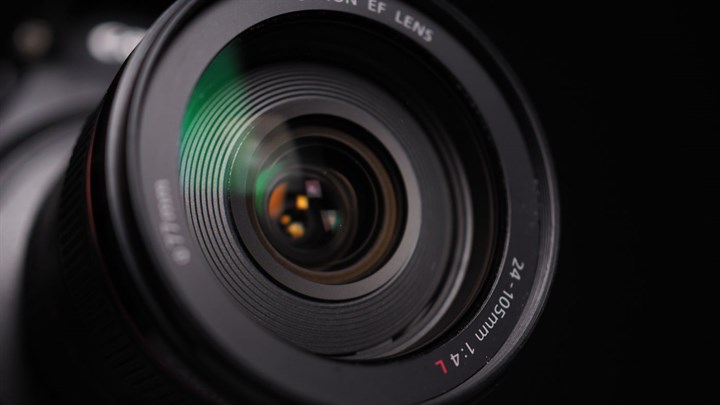
The lens is half the imaging system and gets a fraction of the attention. It sets how much of the scene the sensor sees, how sharp the object is across the frame, and how true the geometry stays from center to edge. A model reads all three, and the last one catches teams out.
A wide lens shows more of the scene and bends straight lines into curves near the edge, a barrel distortion that grows with the field of view. A person reads a slightly curved doorway without trouble. A model that learned object shapes on a near rectilinear lens can stumble on the warped version, and a system that measures size or position from the image reads the wrong number where the distortion is worst. How that plays out is the subject of how lens distortion bites a vision model. The distortion can be measured once and corrected in software, at the cost of some edge pixels and a little compute per frame, or it can be kept inside what the model tolerates by choosing a longer lens with a narrower view. The lens also has to resolve what the sensor can capture, since a sharp sensor behind a soft lens throws away the resolution it was bought for, and the two are specified together or the cheaper one wins and wastes the other.
Focus is the part that gets forgotten until the field. A fixed focus lens set for one distance blurs objects much nearer or farther, and a model fed a blurred object loses the detail it needs. The depth of field, the range of distance that stays acceptably sharp, is set by the lens and the light, and it has to cover the distances the object will appear at.
The aperture sets how much light the lens lets through, and a model in a dim scene needs a fast lens that opens wide. The price of a wide aperture is a shallower depth of field, which has to be managed against the focus distance so the object stays sharp. A slower lens holds more of the scene in focus and asks for more light in return. The aperture is chosen against the same light budget as the sensor, since a sensitive sensor behind a slow lens still starves in the dark.
Sharpness has a number behind it, the modulation transfer function, which says how much contrast the lens keeps at fine detail across the frame. A lens can look sharp in the center and fall apart toward the edges, where a model watching the whole frame still has to work. Reading the lens against the sensor's pixel pitch, and across the field rather than at the center alone, is what keeps a sharp sensor from sitting behind a lens that cannot feed it.
The pipeline between the sensor and the model
Between the sensor and the model sits the image pipeline, the chain that turns raw sensor readings into the picture the model receives. On a consumer camera that chain is tuned to please the eye. It demosaics the color, removes noise, sharpens edges, maps the tones, and balances the white point, with each step shaped by what looks good on a screen. A model did not learn on what looks good. It learned on whatever pipeline produced its training images, and any step that differs at inference moves the pixels away from that.
So the first call is how much of the chain to keep. A model trained on raw or lightly processed frames does better fed the same, with the heavy cosmetic steps switched off, because a sharpen filter invents edges that were never in the scene and a denoiser erases the fine texture a model leans on. A model trained on a full camera pipeline needs that same pipeline at inference. The processing is matched to the training, and the preview on a bench screen is the wrong gauge to tune it by.
Automatic functions are the quiet hazard. Auto exposure, auto white balance and auto gain each shift the image from frame to frame as the scene changes, so the same object can reach the model looking different one second to the next, and the model reads that shift as the object itself changing. Locking those functions, or letting them settle and then holding them, hands the model a steady input, at the price of covering a narrower range of scenes per setting.
The pipeline also decides where the work runs. A sensor with an on board ISP hands over a finished stream and spares the processor the job. A raw sensor pushes that processing onto the host, which spends compute and power and in return leaves every step under the designer's control. Which one fits depends on how far the pipeline has to be bent to match what the model learned on.
Matching the image at inference to the image at training
A vision model learns the look of its world from the images it was trained on, and it carries silent assumptions about resolution, color, sharpness, dynamic range and geometry out of that training set. Accuracy holds when the images it sees in the field match those assumptions, and it slides when they drift, often without any error to flag it. This is the failure that hides behind a sensor swap that looked harmless on a screen. A model trained on footage from one camera, then run on a cheaper sensor with a different color response and a heavier noise profile, keeps producing confident answers that are quietly more wrong, because the pixels no longer sit where the training pixels sat. The same drift comes from an ISP that sharpens differently, a lens with more distortion, a frame downscaled by a different algorithm, or an exposure that clips highlights the training data kept. None of it shows as a crash. It shows as a slow loss of accuracy that gets blamed on the model when the cause is the pixels feeding it. The way out is to fix the imaging conditions the model was trained under and reproduce them at inference, the resolution and crop, the color and white balance handling, the distortion correction, and the exposure behavior, so the sensor, lens and pipeline at the product end deliver an image the model recognizes as its own. When the camera has to change late in a program, the safer path is to retrain or fine tune on images from the new camera rather than to hope the model generalizes, because a model that was never shown the new sensor's character has no reason to handle it well.
There is a cheap check that catches this drift before it ships. Collect a small set of images from the production camera and its pipeline, run the model on them, and compare the accuracy to the training benchmark. A gap there is the imaging mismatch showing itself while it can still be fixed in the optics, the pipeline, or a round of fine tuning. Leaving the check out is how the mismatch reaches the field as a slow accuracy loss that no test flagged.
The fixes, when the check fails, are ordinary engineering. Map the lens distortion once and apply the correction in the field. Pin the resolution, the crop and the color handling to what the training set used. Hold the exposure where the training images sat. None of it is exotic, and all of it has to be settled on the same hardware the product ships, which is the reason the sensor and lens are chosen with the model in the room.
This is why the sensor and the lens cannot be chosen in isolation from the model. The two ends are one system.
Getting the pixels to the accelerator
A sensor that captures a clean image is of no use if the pixels cannot reach the accelerator in time. A high resolution stream at a high frame rate is a large flow of data every second, and the link from sensor to processor has to carry it without dropping frames or adding latency the application cannot afford.
That link is the subject of the bandwidth bottleneck feeding camera data into an accelerator. Many sensors send their data over a MIPI CSI interface whose lane count and speed cap how many pixels per second can cross, and the processor on the other end has to have a camera input that matches. When the raw flow is larger than the link or the accelerator can take, something has to give upstream, a lower resolution, a slower frame rate, a region of interest cropped on the sensor, or compression that the model has to tolerate. Picking the sensor without checking that the chosen processor can ingest its full stream is how a design ends up running a good sensor at a fraction of its rate.
Compression is the pressure valve when the raw flow will not fit the link. A sensor or ISP can hand over a compressed stream that crosses a thinner connection, and the model works from the decompressed result, which is no longer bit for bit what the sensor saw. Light compression passes a model unnoticed. Heavy compression smears fine detail and lays down blocky artifacts that a model trained on clean frames can trip on, so it is held to what the model tolerates and checked on real frames.
Latency rides along with bandwidth. A model that has to react, on a robot or a vehicle, cares not only that the frame arrives but how soon after the event it arrives, and buffering deep enough to smooth the bandwidth adds delay the control loop feels. The budget is frames per second and milliseconds of delay together, set across the sensor, the link and the accelerator as one path.
Questions that come up choosing a sensor for vision
Does a higher megapixel sensor make a vision model more accurate?
Only up to the detail the model needs on the object. Beyond that, more megapixels add data to move and process without adding usable signal, and they can lower the frame rate and raise noise per pixel. The useful measure is how many pixels land on the target at the working distance, not the headline count.
When does a global shutter earn its extra cost?
When objects move enough pixels across the frame during one readout to skew or smear their shape, and the model or the measurement depends on that shape being true. Slow scenes and scenes where motion crosses few pixels per frame can use a rolling shutter and keep the lower cost.
Why does a model lose accuracy after a sensor change that looked fine on screen?
Because the model was trained on a particular look, and a new sensor's color response, noise, sharpness or distortion shifts the pixels away from what it learned. The image can look fine to a person and still sit outside the model's training distribution. Reproduce the training conditions, or retrain on the new camera.
Do I need a depth sensor, or is a color camera enough?
A color camera is enough when the task can be solved from appearance. A depth sensor earns its place when the task is at heart about distance or three dimensional shape, such as anti spoofing, volume measurement, or a robot picking from a bin, where a flat image cannot carry the answer.
How much does lens distortion matter to a model?
It matters when the model has to read true shape or measure size and position, since a wide lens bends geometry hardest at the edges. It can be corrected in software or kept small with a longer lens. A model trained on the same distortion it sees in the field tolerates more of it.
What sets whether the processor can keep up with the sensor?
The camera interface, usually MIPI CSI, and its lane count and speed, against the sensor's pixels per second at the chosen resolution and frame rate. If the raw flow is larger than the link or the accelerator's input, the resolution, rate or region has to come down, so the sensor and processor are matched as a pair.
Choosing the sensor and the optics in order
The order keeps the choices from fighting each other. Start from the scene and the model, what the object is, how far and how fast it moves, how the scene is lit, and what the model was trained to see. Let that set the specs that matter, the resolution on the target, the dynamic range, the shutter, and the wavelength of light. Pick the lens to match, for field of view, sharpness and a distortion the model can live with. Then check the depth question, and check that the processor can ingest the stream at the rate and latency the application needs.
The thread through all of it is that the sensor and the lens are chosen for what the model needs, and the image at the product end has to match the image the model learned on. Get that right and the model works on the hardest day the scene presents. Get it wrong and the model is blamed for an answer the pixels never let it reach.